
How the Slow Cooker Function Works on Instant Pot Multicookers (Model Guide)
Slow cooking is one of the most requested features in modern multicookers. Many customers choose an Instant Pot because it combines pressure cooking with the ability to simmer dishes for longer periods of time with the Slow Cooking program. While Slow Cooking is available in several Instant Pot product lines, it doesn't work exactly the same way in every model. Temperature options, cooking time limits, display behavior, and preset structures vary by series.
In this guide, we explain how the Slow Cooking function works and what you can expect with each model.
Slow Cooking with an Instant Pot: What It Does (and What It Doesn't)
The Slow Cooking program is designed for recipes that normally require several hours of gentle heat, such as stews, braises, soups, pulled meat, and slow-simmered sauces.
Slow Cooking does not use pressure. Instead of sealing the pot and building pressure, the appliance applies steady, even heat over an extended period of time. For this reason, the steam release switch must be set to Vent (open), and the float valve should not rise during operation.
It is strongly recommended to use a glass lid with a steam vent when slow cooking. This allows you to monitor progress without opening the Instant Pot. Each time the pressure lid is opened, a significant amount of heat is lost, which can extend cooking time by approximately 30 minutes. The steam vent in the glass lid also ensures that pressure does not build up and prevents the temperature from rising beyond the intended slow cooking range.
When the cooking time has elapsed, most models automatically switch to Keep Warm, unless that setting has been turned off.
How Slow Cooking Warms
The Slow Cooking program in an Instant Pot multicooker builds heat gradually rather than rapidly. Unlike pressure cooking, where temperature rises quickly inside a sealed environment, Slow Cooking applies steady, controlled heat over a longer period through the heating element at the bottom of the appliance.
Depending on your model, temperature levels may be labeled Low, Medium and High, or Less, Normal and More. These settings adjust the intensity of the heating element but do not display exact temperature values. The appliance slowly increases the temperature of the stainless steel inner pot and its contents until it stabilises at the selected level.
It can take several hours for the Slow Cooking program to reach its maximum operating temperature. In some cases, this may take up to approximately 5 hours to approach a temperature around 95°C, depending on the selected heat level and the amount of food inside the pot. This gradual build-up is normal and part of the design.
Because Instant Pot multicookers use a stainless steel inner pot rather than a thick ceramic insert, heat retention and heat distribution behave differently from traditional standalone slow cookers. As a result, visible simmering may take time to appear, especially when starting with refrigerated ingredients or larger quantities of food.
When Slow Cooking is activated, the appliance enters a heating phase. On some models, this is shown as “Pre-heating,” while others simply indicate that the program is active. During this stage, the unit is actively building temperature. On certain models, the display may remain on “Pre-heating” rather than switching to “Cooking.” This is normal and does not indicate a malfunction.
Slow cooking in a multicooker is designed to reach a stable simmer progressively. Immediate bubbling is not expected.
How Slow Cooking Differs by Model
While the basic principle of Slow Cooking remains the same across all Instant Pot multicookers, the way the program is structured on the interface, including preset options, temperature labels, time limits, and display behavior, varies between series.
Below you will find a clear overview of how Slow Cooking works per model series, so you know exactly what applies to your appliance.
Slow Cooking with Instant Pot Pro Models
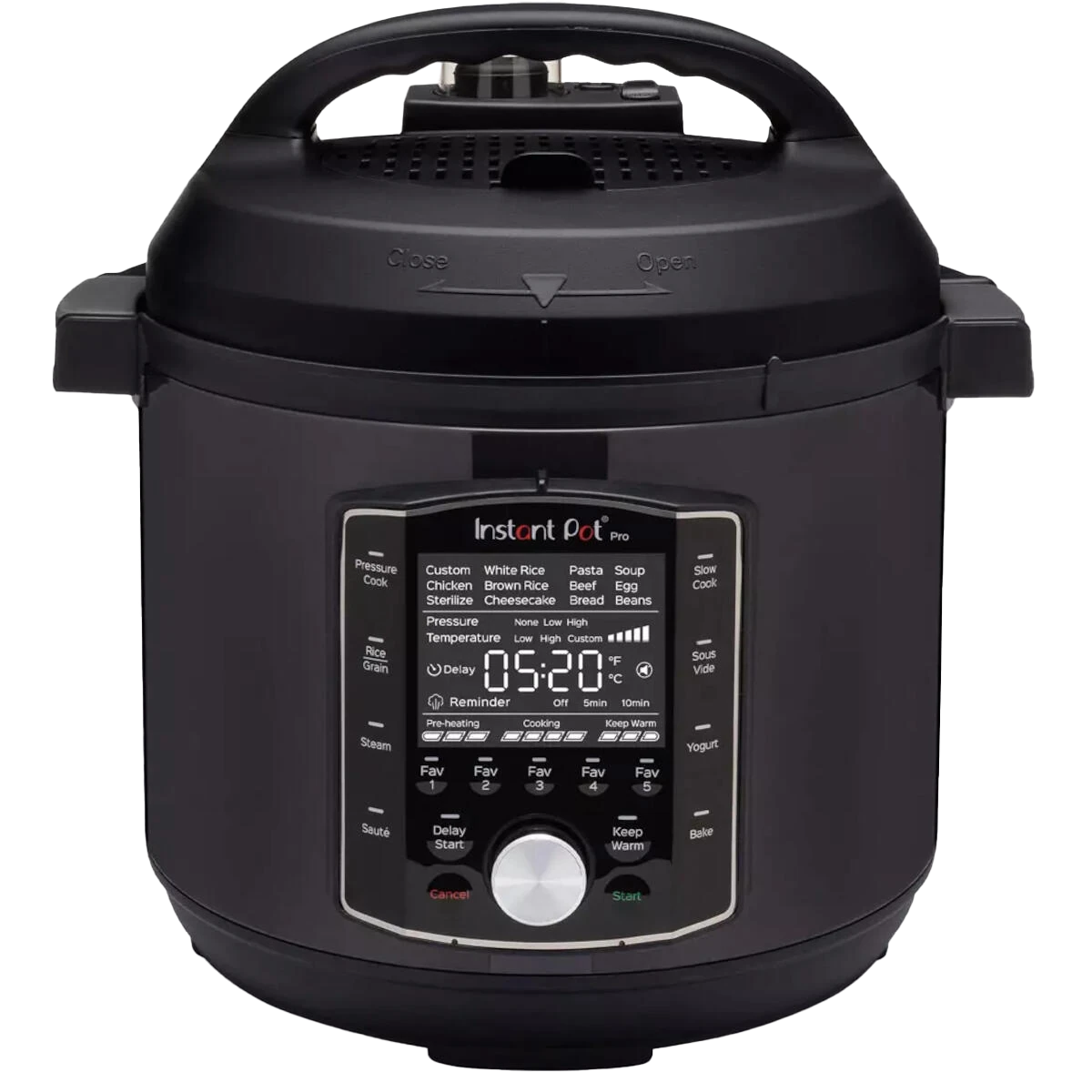
The Instant Pot Pro multicooker series uses a preset-based Slow Cooking structure. When selecting the program, you can choose from categories such as Custom, Chicken, Beef, Soup, and Beans. Each preset starts with a suggested cooking time, for example, Chicken defaults to 4 hours, Beef and Soup 6 hours, and Beans 8 hours, but you can manually adjust these times to suit your recipe.
One of the key differences in the Pro series is the extended cooking time. Slow cooking can be set from 30 minutes to 99 hours and 30 minutes, significantly longer than the 24-hour limit on some other models.
The temperature is set with the dial and you can choose between Low and High, with High being the default setting for presets.
When Start is pressed, it shows The "Pre-heating" display will appear while the appliance gradually builds up the temperature. Once the selected level stabilizes, the status will change to "Cooking" and the timer will begin counting down. When the cooking time is complete, the appliance will automatically switch to Keep Warm, unless that setting is deactivated.
Slow Cooking with the Instant Pot Duo Plus Whisper Quiet multicooker
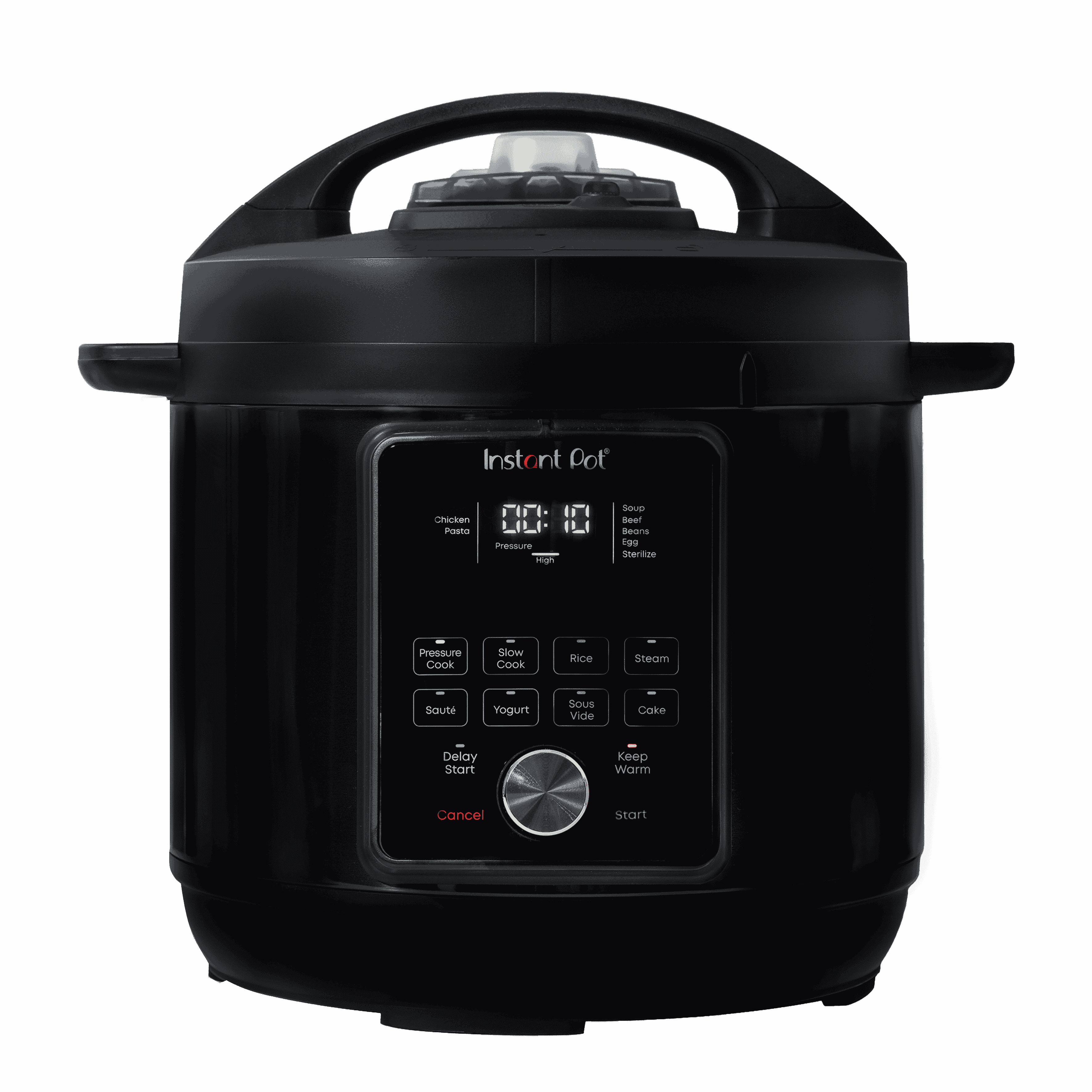
The Instant Pot Duo Plus Whisper Quiet also follows a preset-based slow cooking structure and offers guided categories such as Custom, Chicken, Pasta, Soup, Beef, and Beans. Each preset starts with a suggested cooking time, for example, Custom and Chicken defaults to 4 hours, Pasta 3 hours, Soup and Beef 6 hours, and Beans 8 hours, while still allowing you to adjust everything manually.
The cooking time can be set from 30 minutes to 99 hours and 30 minutes, offering similar flexibility to the Pro series. All Slow Cooking presets default to High temperature, but both the time and temperature can be adjusted before starting the program using the Control Dial.
When Start is pressed, the appliance enters a heating phase. Once the operating temperature is reached, the status changes to "Cooking" and the timer begins counting down. When the selected time elapses, active heating stops, and if Keep Warm remains enabled (this is the default setting), the timer begins counting up. Delay Start is available for all Slow Cooking programs in this series.
Slow Cooking on Instant Pot Duo Models
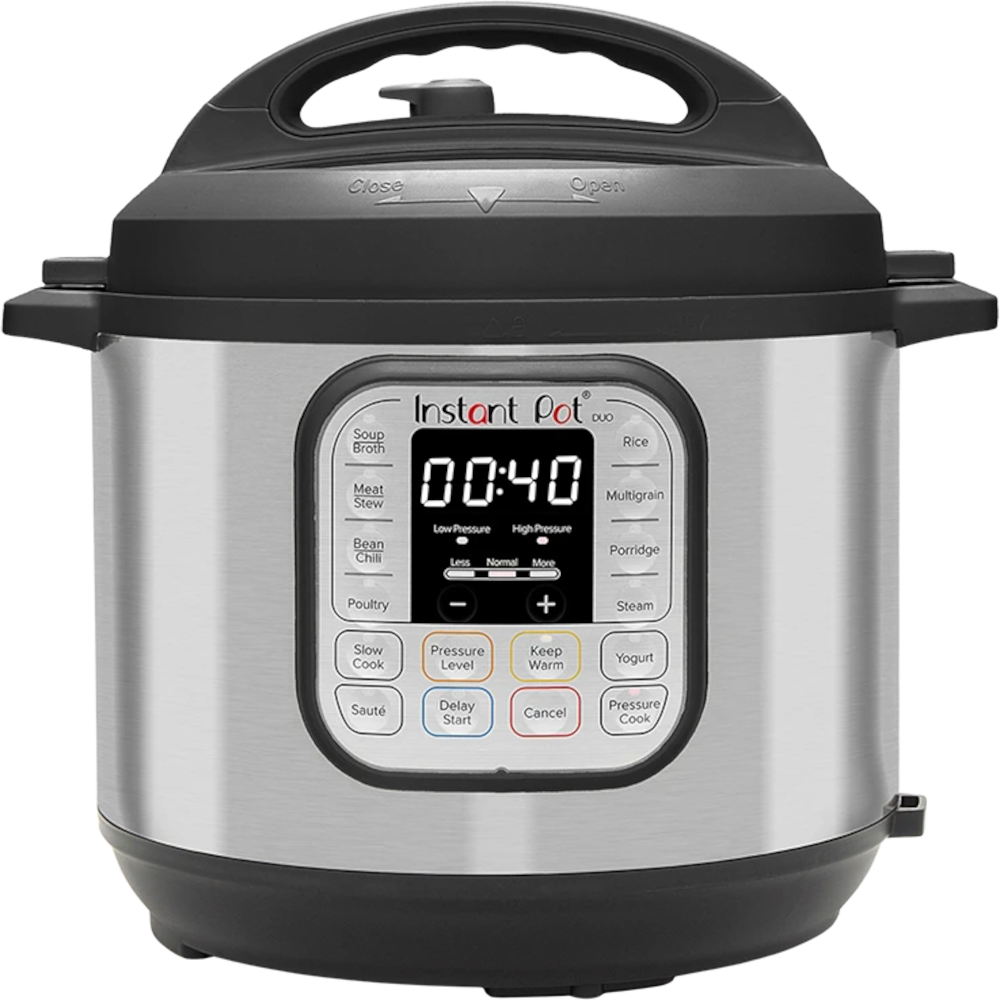
The Instant Pot Duo series uses a simplified manual slow cooking structure without recipe-based preset categories. Instead of Low, Medium, and High, the temperature settings are labeled Less, Normal, and More, which correspond to lower, medium, and higher heat intensities.
Select your desired heat setting by repeatedly pressing the Slow Cooking button to cycle through the options before starting the program. Adjust the cooking time using the –/+ buttons.
After pressing Start, the program begins automatically after a short delay, and the timer starts counting down. When cooking is finished, the display shows End if Keep Warm is deactivated. If Keep Warm remains activated, the timer begins counting up from 00:00 to a maximum of 10 hours.
During slow cooking, the steam valve lever should be set to Venting and the float valve should not rise. The lid may be removed during cooking if necessary, or you can use a glass lid with a steam vent.
The Less setting is designed for long, gentle cooking and is best suited to longer slow cooker recipes where dishes can simmer gradually over many hours.
Slow Cooking on Instant Pot Classic/Rio models (3.8L, 5.7L and XL)
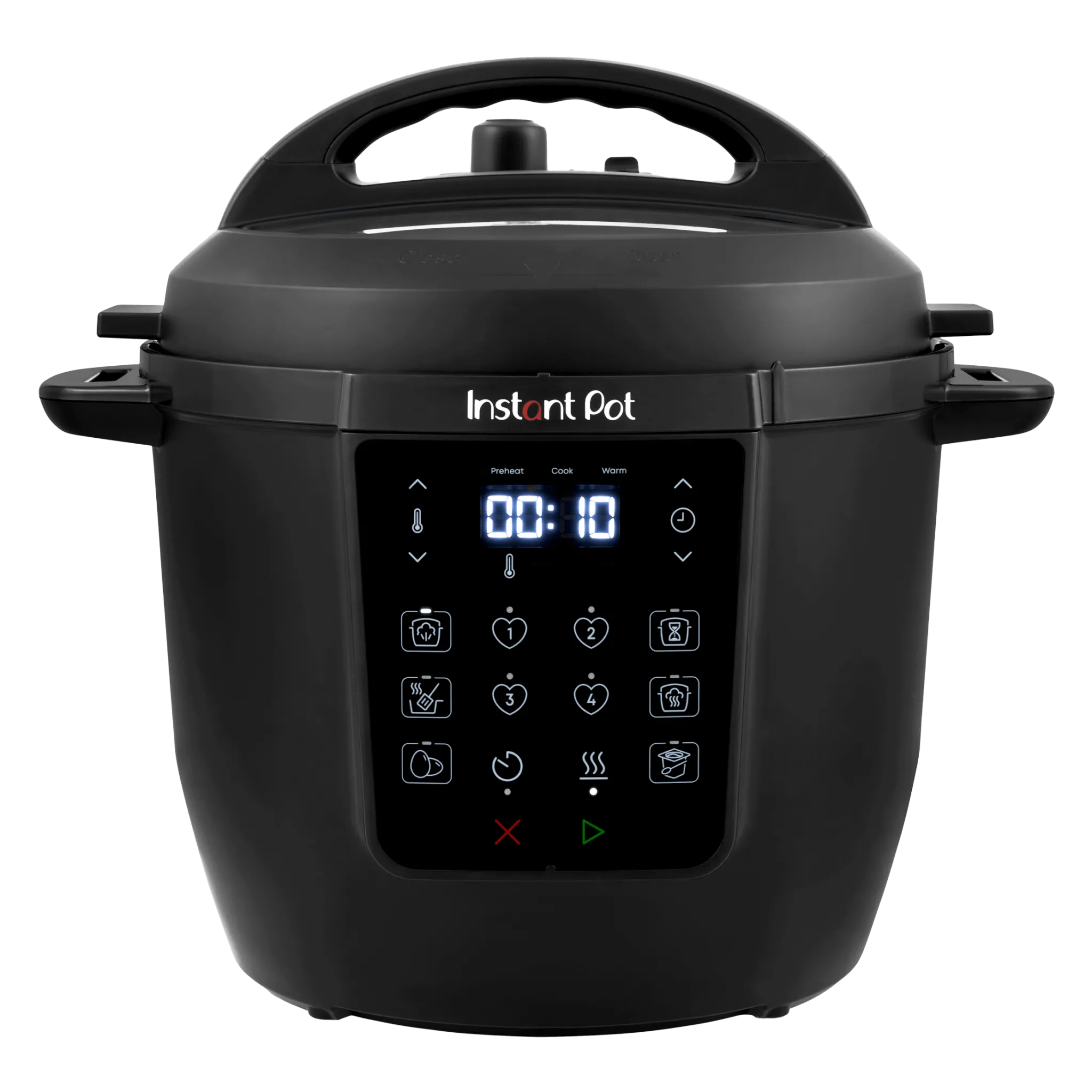
The Instant Pot Classic series follows a traditional slow cooker design with clearly labeled temperature settings. The Rio 5.7L and Rio XL models offer three settings: Low, Medium, and High, while the Rio 3.8L model uses two settings: Low and High. Unlike the Duo series with Less/Normal/More settings, Rio uses traditional slow cooker terms for heat intensity.
The default cooking time is 6 hours, and this can be adjusted from 30 minutes to 24 hours, depending on the recipe. All Classic/Rio models default to High temperature, but both the time and temperature can be adjusted before starting the program. When Start is pressed, the display shows On, indicating that the heating phase has begun. The appliance gradually increases the temperature until it stabilizes at the selected setting. level. Once the operating temperature is reached, the timer begins counting down. Keep Warm is enabled by default. When cooking is complete, the display shows End if Keep Warm is disabled. If Keep Warm remains active, the timer begins counting up.
For the Rio 3.8L model, additional information is provided regarding heating behavior. On High, the appliance may take approximately 2.5 hours to reach a maximum temperature of around 95°C, while on Low, it may take approximately 4.5 hours. This gradual heating behavior is normal and demonstrates how slow cooking works in a stainless steel multicooker environment, rather than in a ceramic, standalone slow cooker.
Slow Cooking with Instant Pot Plus WiFi 2025 multicooker (5.7L)
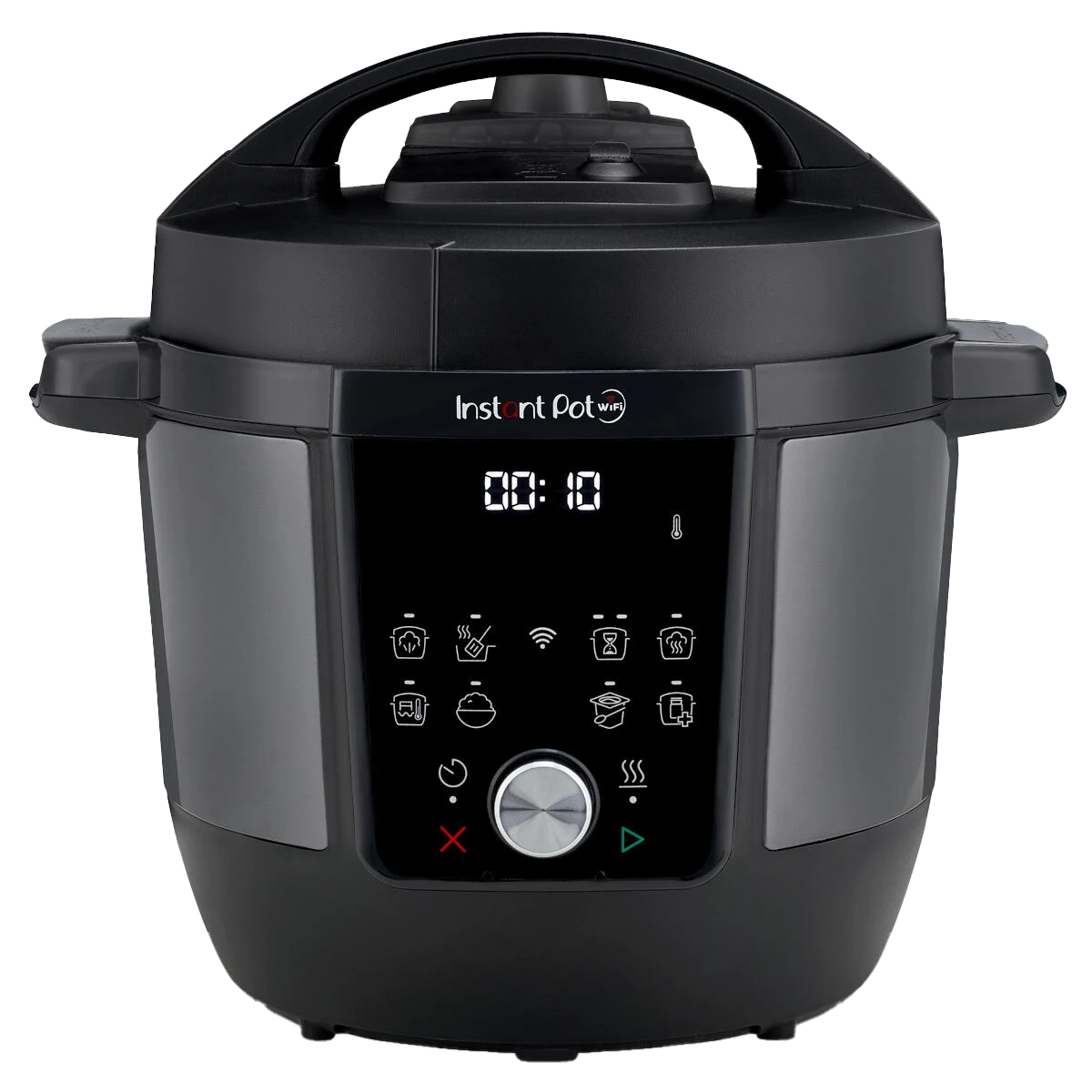
The Instant Pot Plus WiFi (2025) multicooker uses a manual slow cooking system with two settings: Low and High, with High being the default. Cooking times can be set from 30 minutes to 24 hours.
Unlike the Pro and Whisper Quiet series, the Plus WiFi does not have recipe-specific preset categories. Users manually select both the temperature and cooking time, either directly on the device or via the connected app. When Slow Cooking is started, the device gradually builds up the temperature before stabilizing at the selected heat level. Once the temperature is stable, the timer begins to count down. As with other stainless steel multicookers, the heat builds gradually, not instantly.
On High, the appliance may take approximately 2.5 hours to reach a temperature close to 95°C. On Low, it may take approximately 4.5 hours to reach a similar temperature. This gradual temperature increase is normal and corresponds to the way slow cooking works in a stainless steel multicooker environment. Keep Warm is enabled by default and begins counting up once the cooking time has elapsed, unless manually deactivated.
The Plus WiFi model combines manual Slow Cooking settings with app monitoring, while using the same non-pressure heating process as the rest of the multicooker range.
Slow Cooking with Instant Pot Pro WiFi 2025 multicooker (5.7L)
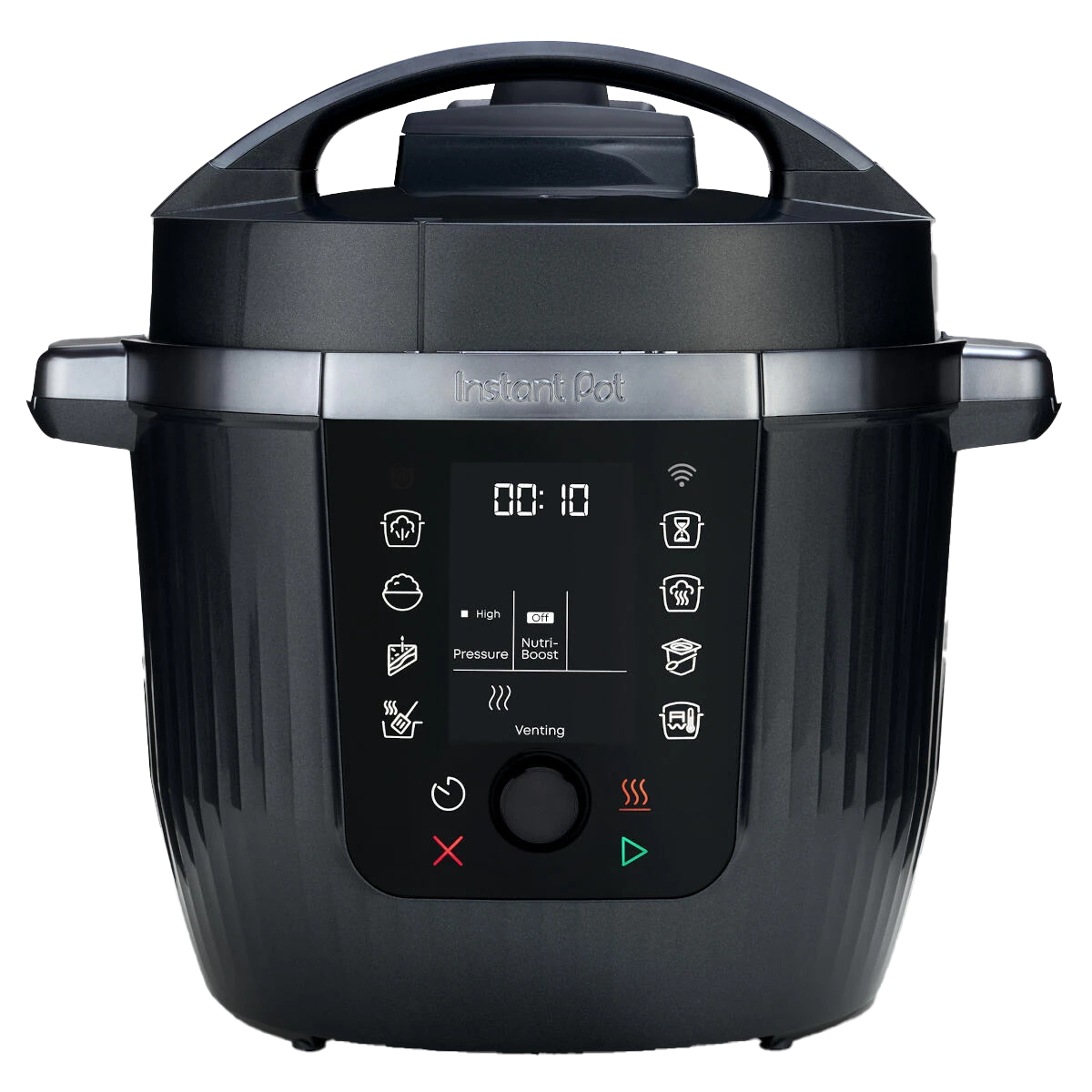
The Instant Pot Pro WiFi (2025) multicooker uses a manual slow cooking system without recipe-based preset categories. The default cooking time is 6 hours and the temperature is set to High by default, with the option to switch between High and Low before starting.
The cooking time can be adjusted from 30 minutes to 24 hours. Keep Warm is enabled by default, and Delay Start is available. To start Slow Cooking, select the program, adjust the temperature if necessary, set the desired cooking time, and press Start. When the program begins, the progress bar displays "Cooking," and the timer starts counting down.
When the set time reaches 00:00, active heating stops and the notification bar displays "OK to Open Lid." If Keep Warm remains enabled, the timer begins counting up to maintain the serving temperature. As with the Plus WiFi model, you can adjust Slow Cooking settings on the device itself or via the connected app.
Slow Cooking with an Instant Pot Pro Crisp Multicooker
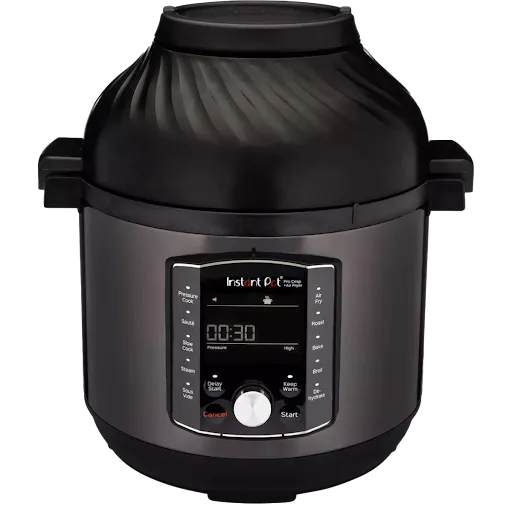
The Instant Pot Pro Crisp multicooker uses a slow cook system with two settings: Low and High. High is the default setting.
The default cooking time is 4 hours, and this can be adjusted from 30 minutes to 24 hours. Both the time and temperature can be selected using the control knob before starting the program.
When Start is pressed, the progress bar will show Preheating begins and the timer starts counting down. During this phase, the appliance builds up the temperature in the stainless steel inner pot. Once the selected temperature is reached, the status changes to Cooking. When the cooking time reaches 00:00: The display shows End if Keep Warm is disabled. If Keep Warm remains enabled (default setting), the timer starts counting up to a maximum of 10 hours.
During slow cooking, the lid must be closed and locked, and the float valve must not rise. The quick-release switch must be set to Vent, and the lid can be removed during cooking if necessary.
For best results, Low is intended for prolonged cooking and should ideally be set for at least 6 hours. High cooks slightly faster, and dishes should be cooked for at least 3 hours, unless the recipe states otherwise.
Slow Cooking with Instant Pot Duo Crisp Models
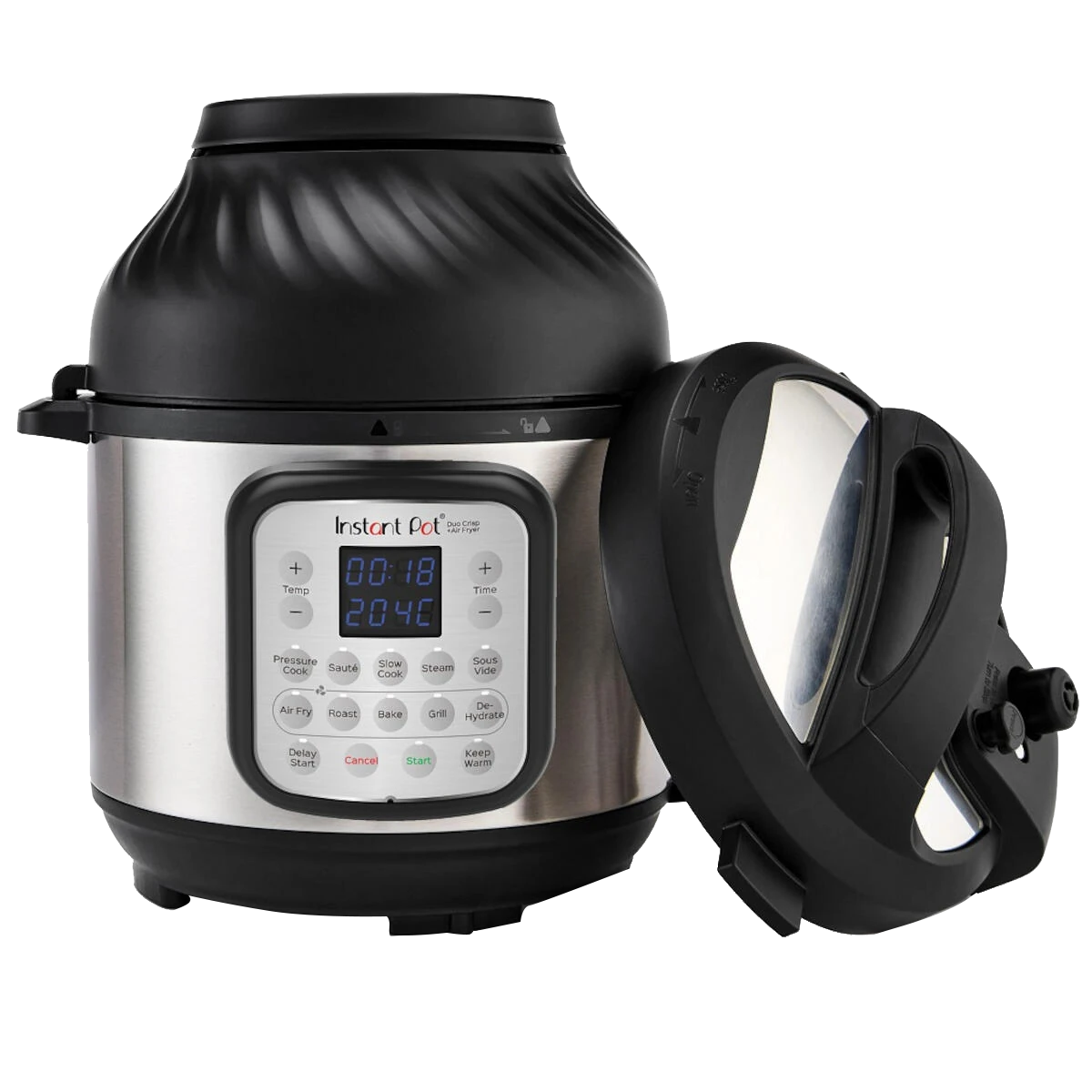
The Instant Pot Duo Crisp multicookers use a slow cooking system with two settings: Low and High. Low is designed for long, all-day cooking and is recommended for at least 6 hours for best results. High offers slightly faster slow cooking.
The default cooking time is 6 hours and the cooking time can be adjusted from 30 minutes to 24 hours using the + / – Time buttons before starting the program.
To start Slow Cooking, select the program and choose the desired temperature setting. Press Slow Cook again to toggle between Low and High. Adjust the cooking time if necessary and then press Start.
When Start is pressed, the cooking timer begins to count down. If Keep Warm is enabled (this can be turned on or off before starting), the cooker automatically switches to Keep Warm once the program is finished. If Keep Warm is not enabled, the cooker returns to Standby and the display shows End.
During slow cooking, the float valve should not rise. The quick-release knob should be set to Vent. The lid may be removed during cooking if desired, or you can use a glass lid with a steam vent. Adjustments to the cooking time and temperature are saved when Start is pressed.
Slow Cooking with Instant Pot Duo Crisp Ultimate
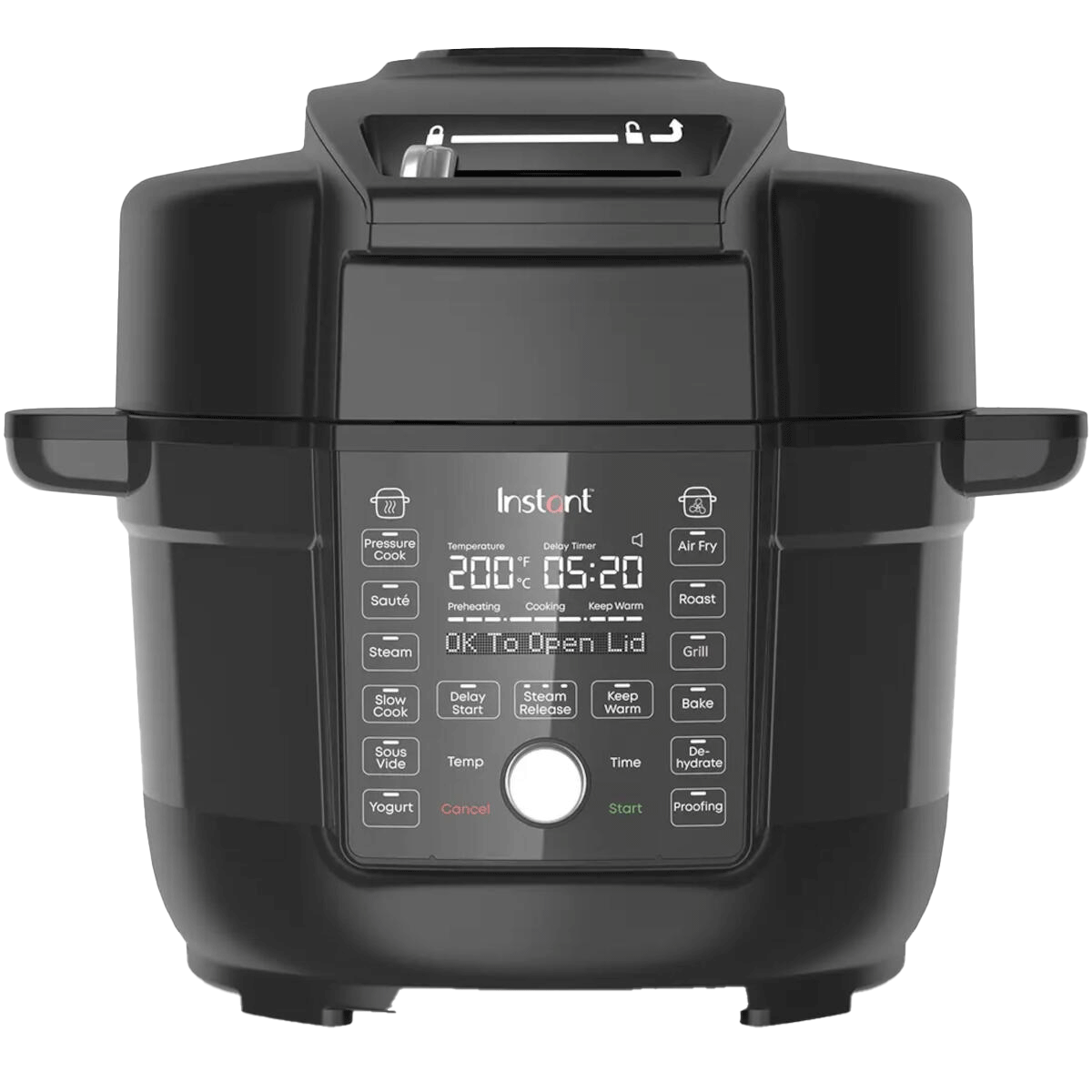
The Instant Pot Duo Crisp with Ultimate Lid uses a slow cooking system with two settings: Low and High. High is the default temperature.
The default cooking time is 4 hours and the time can be adjusted from 30 minutes to 24 hours before starting the program.
To start Slow Cooking, place the inner pot in the cooker base, add your ingredients, ensure the Pressure Cooking Cover is in place on the Ultimate Lid, and close and lock the lid. Press Slow Cooking and then adjust the cooking time and temperature as needed using the Control Dial. Keep Warm is enabled by default and can be disabled before starting.
When Start is pressed, the progress bar displays Preheating, and the Duo Crisp with Ultimate Lid begins heating. Once the appliance reaches the selected temperature, it switches to Cooking mode, and the timer begins counting down. When the timer reaches 00:00, cooking stops. The program can be canceled at any time by pressing Cancel. This Slow Cooking program does not use pressure, but the Ultimate Lid must remain closed and locked during use.
Important Clarifications About Slow Cooking Performance
Slow Cooking behaviour varies between models and differs from traditional standalone slow cookers. Setting clear expectations helps prevent confusion and ensures more consistent results.
1. Slow cooking builds up heat gradually
Slow Cooking is designed for progressive temperature build-up. Unlike pressure cooking, it does not raise the temperature rapidly.
Visible bubbling should not be expected during the early stages, especially when using chilled ingredients or preparing larger quantities of food. The appliance increases temperature gradually until it stabilises at the selected heat level.
This gradual build-up is normal and part of the design.
2. “Pre-heating” may take longer than expected
On models that display “Pre-heating,” this phase indicates that the appliance is actively building temperature. The duration of this stage depends on:
- The selected heat level
- The quantity of food
- The starting temperature of the ingredients
Some models may take approximately 2.5 to 4.5 hours to reach temperatures in the 85–95°C range, depending on whether High or Low is selected. This reflects normal slow cooking behaviour within a stainless steel multicooker environment.
Once the selected temperature stabilises, the display will transition to “Cooking” on models that show this status. On other models, the timer continues automatically without a separate Cooking indicator.
3. Stainless Steel vs. Traditional Ceramic Slow Cookers
Traditional slow cookers often use thick ceramic inserts that retain and distribute heat differently.
Instant Pot multicookers use stainless steel inner pots combined with electronically controlled heating elements. As a result:
- Heat builds progressively rather than aggressively
- Surface simmering may appear less vigorous
- Temperature stabilisation may take longer
This does not indicate a malfunction. It reflects the structural and material differences between a multifunctional multicooker and a dedicated ceramic slow cooker.
When to Use Sous Vide Instead of Slow Cooking
It is important to understand that the Slow Cooking function in Instant Pot multicookers does not behave like a traditional ceramic slow cooker.
Depending on the model and selected heat level, it may take approximately 2.5 to 4.5 hours for the appliance to reach temperatures in the 85–95°C range. This gradual build-up is normal, but it means that visible simmering and fully stabilised cooking temperatures are not immediate.
For users who require more precise temperature control, or who prefer faster and more predictable temperature stabilisation, the Sous Vide program is often a better alternative.
The Sous Vide function:
- Heats to the exact temperature you set
- Reaches the target temperature significantly faster
- Maintains temperature with approximately ±1°C accuracy
For recipes similar to slow cooking where temperature precision is important, Sous Vide can deliver more consistent and controlled results than the Slow Cooking program.
If you are using a Duo model specifically for slow cooking, it is important to note that these models are not optimised as dedicated slow cookers. For improved temperature control within a multicooker, consider models that include Sous Vide functionality.
Using a glass lid during slow cooking is also recommended. Each time the pressure lid is opened to check the food, a significant amount of heat is lost, which may extend cooking time by up to 30 minutes.
Final considerations
The Slow Cooking function in Instant Pot multicookers is designed for long, gentle cooking within a stainless steel, electronically controlled system. While every model offers Slow Cooking, temperature levels, time ranges, and display behavior vary by series. Slow cooking in a multicooker builds heat gradually rather than aggressively. Depending on the selected heat level and model, it may take several hours to reach stable simmering temperatures. This gradual buildup is by design and does not indicate a malfunction.
For recipes that require precise temperature control or faster stabilization, the Sous Vide program offers a more controlled alternative. For traditional slow cooker expectations, understanding the workings of your specific model allows for more predictable results.
Selecting the correct heat level, allowing sufficient cooking time, and opening the lid as little as possible will help ensure consistent performance across all models.
Would you like more of this kind of useful information? Sign up for our newsletter for the latest news, useful tips and advice, delicious recipes, and special offers. We email at most once a week.